WAEDC QTC CrossCheck for Windows
Version 1.5.0QTC-CrossCheck is an offline Windows tool for radio amateurs working with CW QTC traffic in the Worked All Europe DX Contest (WAEDC). It decodes received QTC groups from WAV audio recordings and helps compare the decoded data with an optional manual UCXLog QTC file.
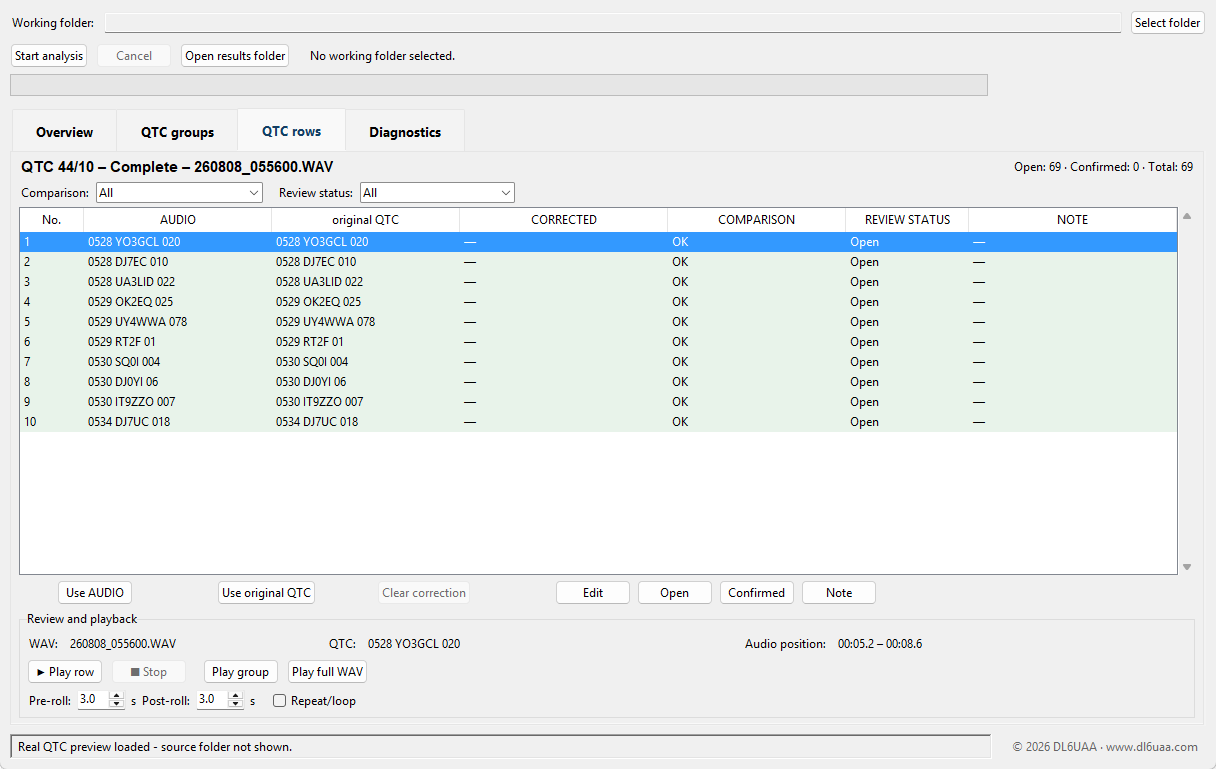
Decode and check WAEDC CW QTC traffic
- Decode received WAEDC CW QTC groups from local WAV recordings.
- Compare QTC time, callsign and serial data with a manually created UCXLog QTC file.
- Review QTC lines with integrated audio playback controls.
- Download, verify, install and immediately analyze real practice data.
- Check for new versions manually from the Help menu.
- Keep the decoder and all contest analysis fully offline.
Download QTC-CrossCheck 1.5.0
Download the Windows ZIP archive, extract it completely and start QTC-CrossCheck.exe. Keep the executable and the _internal folder together.
Download v1.5.0 (ZIP, Windows)Windows SmartScreen may display a warning for new or unsigned applications.
Real example data
Start with five real WAEDC CW reception recordings and their five matching complete 10-QTC groups. Version 1.5.0 can download, verify, install and immediately analyze this package in the user's Example Data folder. The audio is authentic contest reception audio and was not generated or synthesized.
Download example data (ZIP, 7.9 MB)